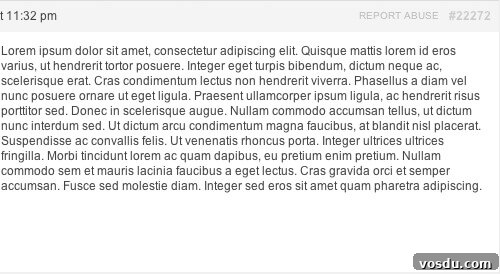
I’m using bbPress for a project in development, and the client requested a “Report Abuse” link on replies. I packaged that functionality into a small plugin called bbPress Report Abuse.
When a user clicks “Report Abuse” on a reply, they are taken to a report form to complete. The form includes a “Reported URL” field that is auto-populated so administrators can identify the exact message being reported.
This plugin is not available in the WordPress.org repository because it relies on a premium add-on (Gravity Forms) and the installation steps are not as simple as a one-click activation, which could generate many support questions.
For developers new to plugin development, this lightweight plugin demonstrates several useful practices for building WordPress plugins:
- Organized as a class. This keeps the main plugin file tidy and reduces the chance of naming conflicts with themes or other plugins.
- Uses context-specific hooks and filters so code only runs where appropriate. For example, bbPress-related code is attached to bbPress-specific hooks, ensuring it only executes when bbPress is active.
- Exposes filters where others might want to customize the plugin (for instance, the link text and the form URL). While a textdomain is typically used for translation, this plugin offers a filter for the single string because site owners frequently want to change that wording (for example, to “Report Inappropriate Content”).
Download bbPress Report Abuse from GitHub
Installation
- Download and install the plugin into your WordPress installation.
- Create a page titled “Report Abuse” with the URL slug /report-abuse. You can change this slug via the provided customization filter (see below).
- Create a Gravity Form containing the fields you want users to complete. Include a field for “Reported URL.” In that field’s Advanced settings, enable “Allow field to be populated dynamically” and set the parameter name to
bbp_report_abuse. - Embed the Gravity Form on the Report Abuse page you created.
Customization Filters
bbpress_report_abuse_label— change the visible link text “Report Abuse” to any phrase you prefer.bbpress_report_abuse_url— change the form page URL (defaults to /report-abuse).